In a warehouse like Snowflake, a slow query is almost always one of four things, and the query profile tells you which one before you change a single line.
(The SQL is lowercase with leading commas, because that's my style guide.)
Read the profile first
Every warehouse will show you where the time went. In Snowflake it's the Query Profile: a tree of operators, each with its share of the time. Find the biggest one. That's the whole job.
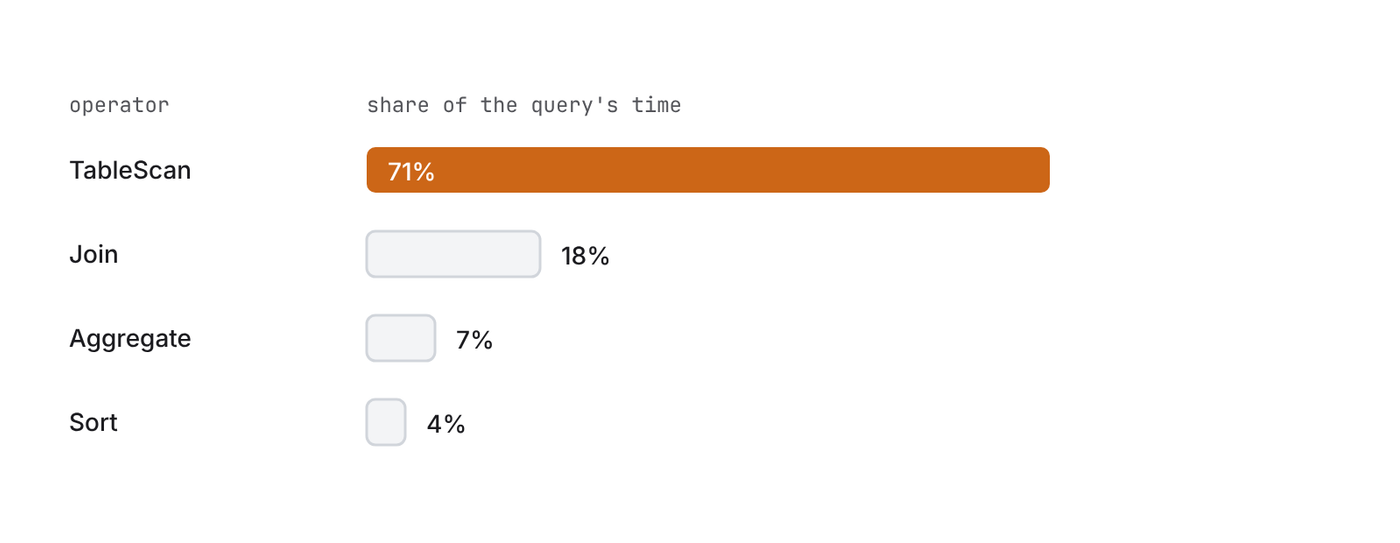
Then match it to one of these.
1. Scanning more than you need
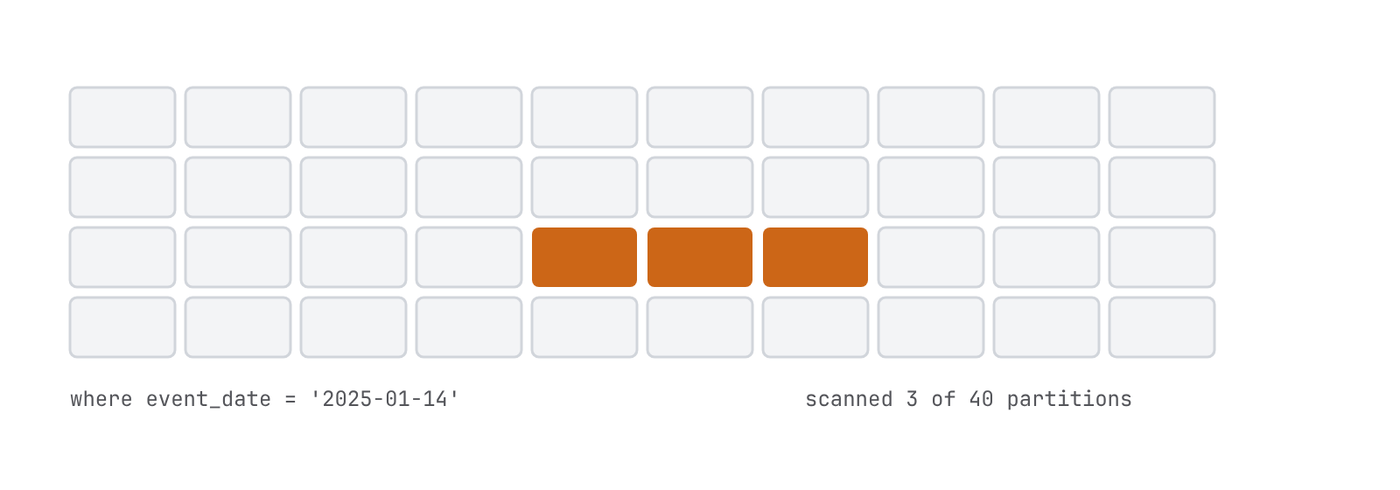
Snowflake stores a table as micro-partitions, chunks of roughly 50 to 500 MB, and keeps the min and max of every column for each one. When your where clause rules a partition out, Snowflake never reads it. That's pruning, and it's most of the game.
The profile tells you how it went: Partitions scanned against Partitions total. If those two numbers are close and you only wanted one day of data, you found it.
What helps it:
- •
- Filter on the column the data naturally arrives in, usually a load date or event timestamp.
- •
- Compare the raw column to a range. Wrapping it in a function can stop the pruning.
- •
- Select only the columns you use. It's a columnar store;
select *reads every column you didn't need. - Select only the columns you use. It's a columnar store;
-- reads more than it should
select *
from events
where to_char(event_ts, 'YYYY-MM-DD') = '2025-01-14'

-- prunes
select
  event_id
  , user_id
  , event_type
from events
where event_ts >= '2025-01-14'
  and event_ts < '2025-01-15'
If the table isn't in a useful order at all, a clustering key can fix that, but it costs credits to keep up. Try the filter first.
2. A join that explodes
You join two tables on a key that isn't unique on either side, and every match multiplies. Three orders and four shipments for the same customer is twelve rows, and then the sum downstream is wrong and slow.
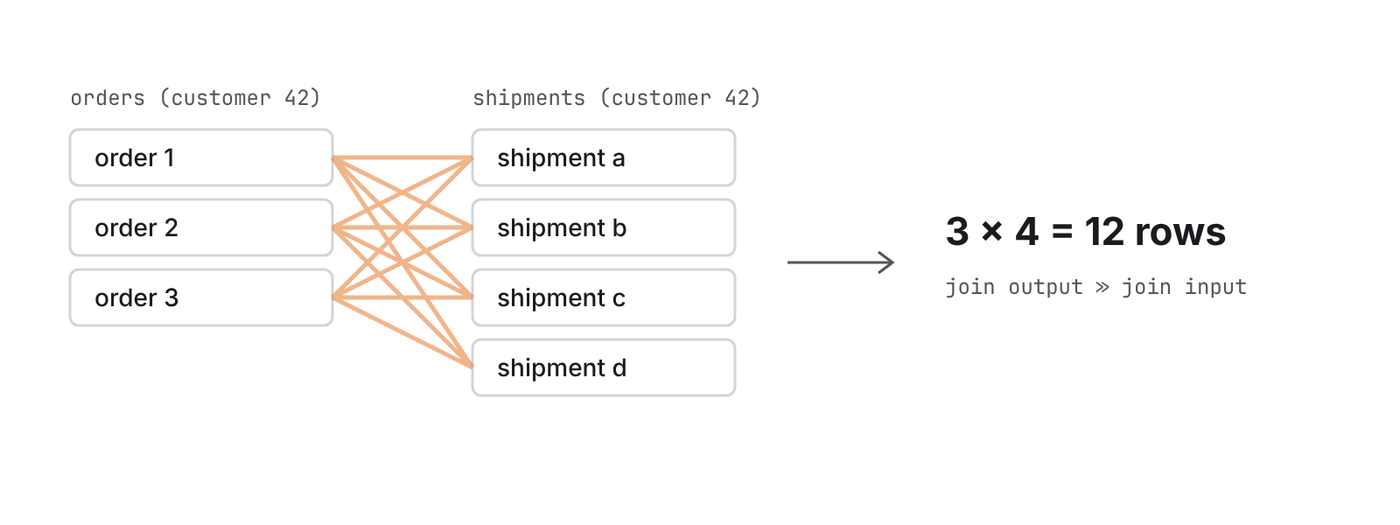
The fix is to get each side to the grain you want before you join: aggregate first, then join one row to one row.
with shipments_per_order as (
  select
    order_id
    , count(*) as shipment_count
    , max(shipped_at) as last_shipped_at
  from shipments
  group by
    order_id
)

select
  o.order_id
  , o.order_total
  , s.shipment_count
  , s.last_shipped_at
from orders as o
left outer join shipments_per_order as s
  on o.order_id = s.order_id
And put a unique test on the key you think is unique. In dbt it's two lines of YAML, and it catches this before anyone sees a doubled revenue number.
3. Spilling
When an aggregate or a sort doesn't fit in the warehouse's memory, it spills to local disk, and when that's full, to remote storage. Each step down is a lot slower. The profile shows it as Bytes spilled to local storage and Bytes spilled to remote storage.
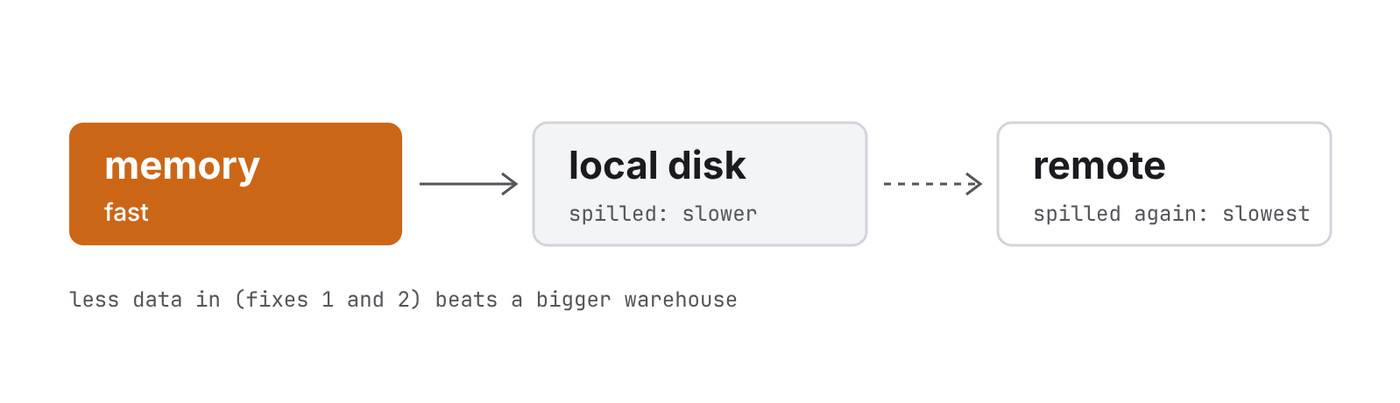
Fix the first two before you reach for this, because less data going into the sort is the real cure. If it still spills, give that one model a bigger warehouse. Each size up doubles the credits per hour, but a query that stops spilling often finishes more than twice as fast, so it can cost less.
4. Doing the same work twice
The classic: "latest row per customer" as a self-join. The table gets read twice and joined to itself. Window functions do it in one pass, and Snowflake's qualify keeps it short.
-- reads orders twice
select
  o.customer_id
  , o.order_date
  , o.order_total
from orders as o
inner join (
  select
    customer_id
    , max(order_date) as last_order_date
  from orders
  group by
    customer_id
) as l
  on o.customer_id = l.customer_id
  and o.order_date = l.last_order_date

-- reads it once
select
  customer_id
  , order_date
  , order_total
from orders
qualify row_number() over (partition by customer_id order by order_date desc) = 1
Same idea for CTEs you reference three times and models that rebuild the whole table every hour when an incremental model would do.
That's most of it
Read the profile, find the expensive node, match it to one of the four. If yours is none of them, send it over. I'd like to see it.